Customizing Workflow Notifications
How to completely customize GRC workflow notifications?
Eventhough SAP does offer customizations for the workflow notifications, it becomes tedious when we do not have an idea how to implement the logic which can meet the requirement to send the necessary information via email.
Let’s see some important transactions needed while configuring and developing the Workflow customizations.
- SWNCONFIG
- SE24
And that’s it( unless you would want to change the BSP application itself).
Now I will brief you about the components while configuring each.
- Go to transaction SWNCONFIG. You should see a screen like this.
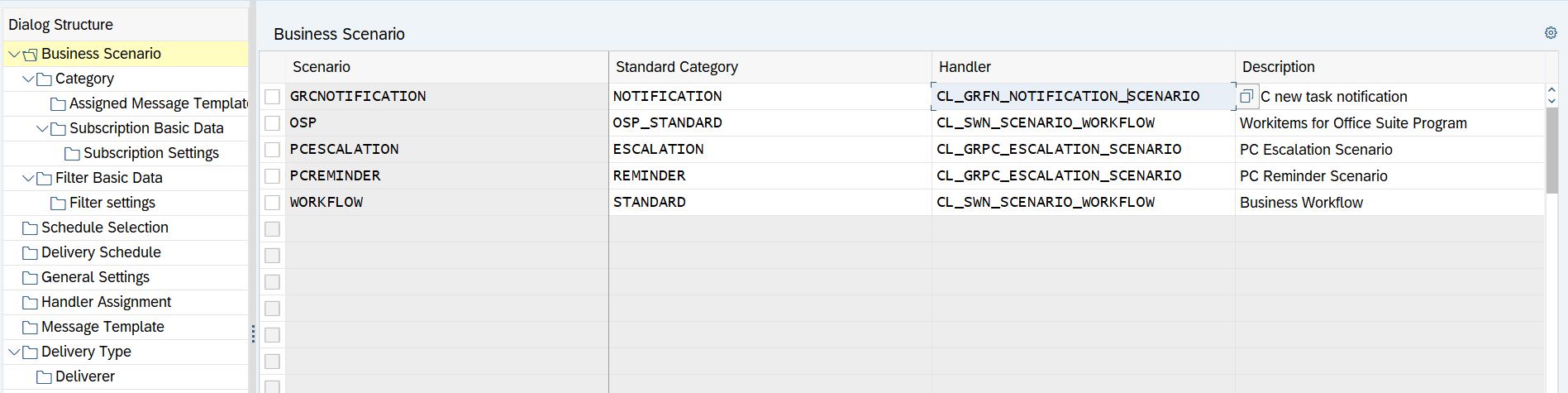
Let’s see what these attributes( one’s which we are configuring ) in left pane represents.
- Business Scenario : There are different scenario’s provided by Workflow e.g., Standard Workflow, Reminders, Escalations and for each you can configure.
- Message Template : In Message Template, we define how our email body should look like. In workflow, it is governed by BSP applications which are provided by Workflow itself. We just need to pick a handler which will suffice our direction.
- Assigned Message Template : In this, we assign a message template to business scenario.
Since all of these are already provided in note 2382927, I will not provide the redundant information.
-
Navigate to Message Template, for message template GRCNOTIFICATION provide a custom handler like ZCL_GRPC_MESSAGE_NOTIFICATION.

-
Now, make a copy of class CL_GRPC_MESSAGE_NOTIFICATION to ZCL_GRPC_MESSAGE_NOTIFICATION.
-
You have your custom class ready with standard logic. Free to embed own logic (Check method get_email_content).
-
In the same way, ESCALATIONS and REMINDERS can be configured.
Do let me know in the comments, how easy it felt to change the notification framework.